
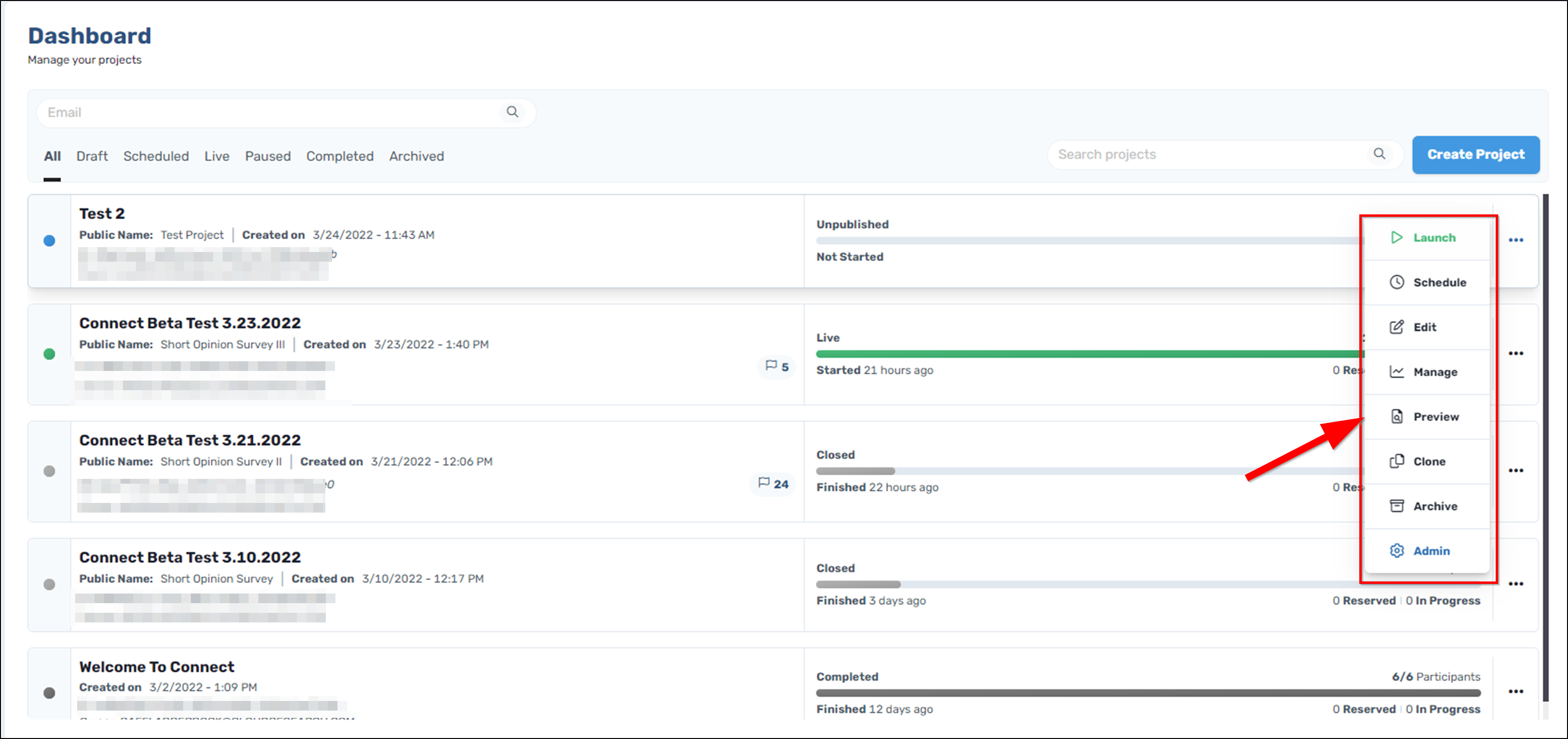
After you save your project to the Dashboard, you can preview it from the view of a participant. To preview a project, hover over the ellipses and select "Preview" from the drop down menu.
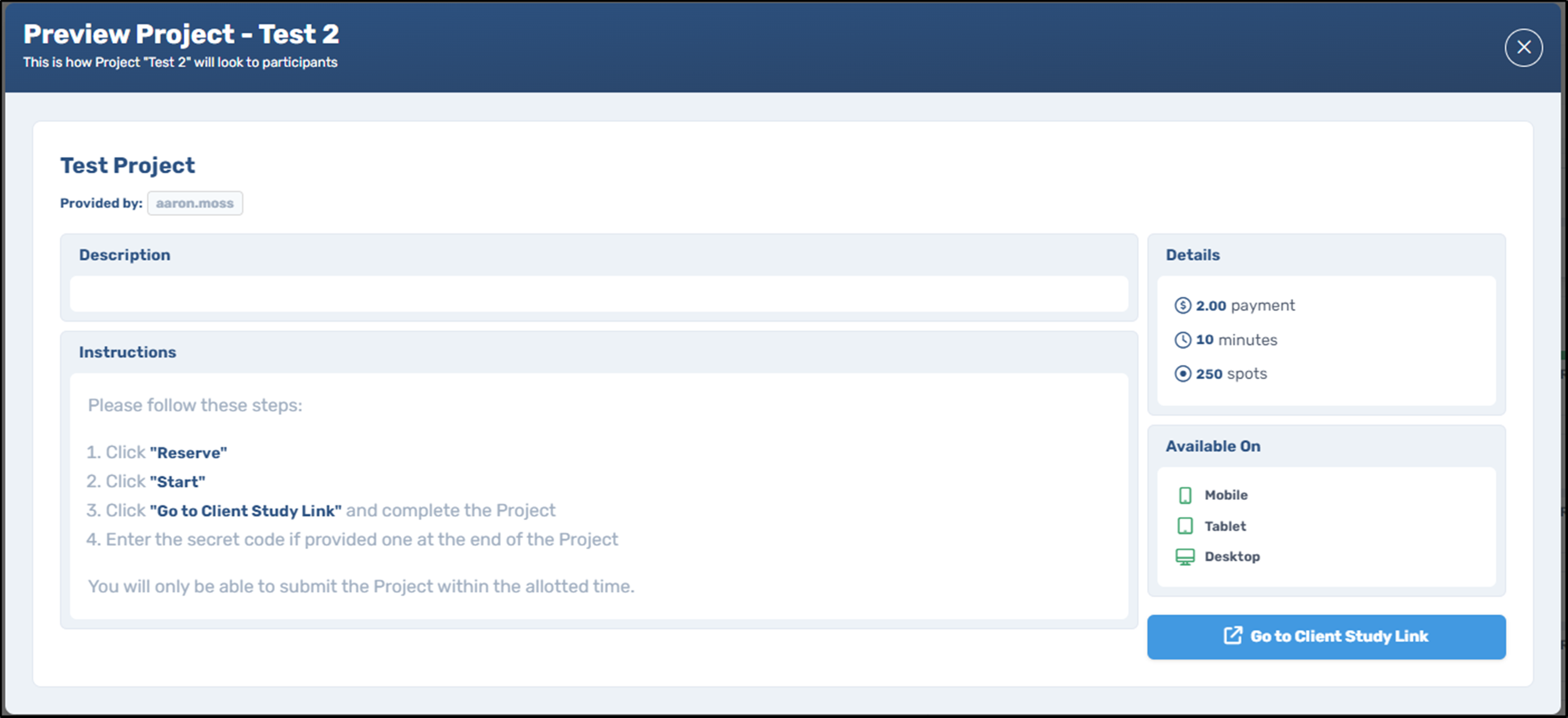
In the window that appears, you will see your project as it appears to participants on Connect before they accept it. If you want to edit or adjust anything, simply return to the Dashboard and select "Edit" from the drop down menu on your project.
Comments
0 comments
Please sign in to leave a comment.